
What's New in ES2026: Every Feature Explained
 (opens full-size image in a new tab)
ECMAScript 2026, the 17th edition of the JavaScript specification, was published in June 2026. Like every edition since ES2016, it's a snapshot rather than a big-bang release: it contains whichever proposals reached stage 4 in TC39 before the spec was cut for the year. Most of them have been usable in at least one browser for a while, and some of them have been shipping for years.
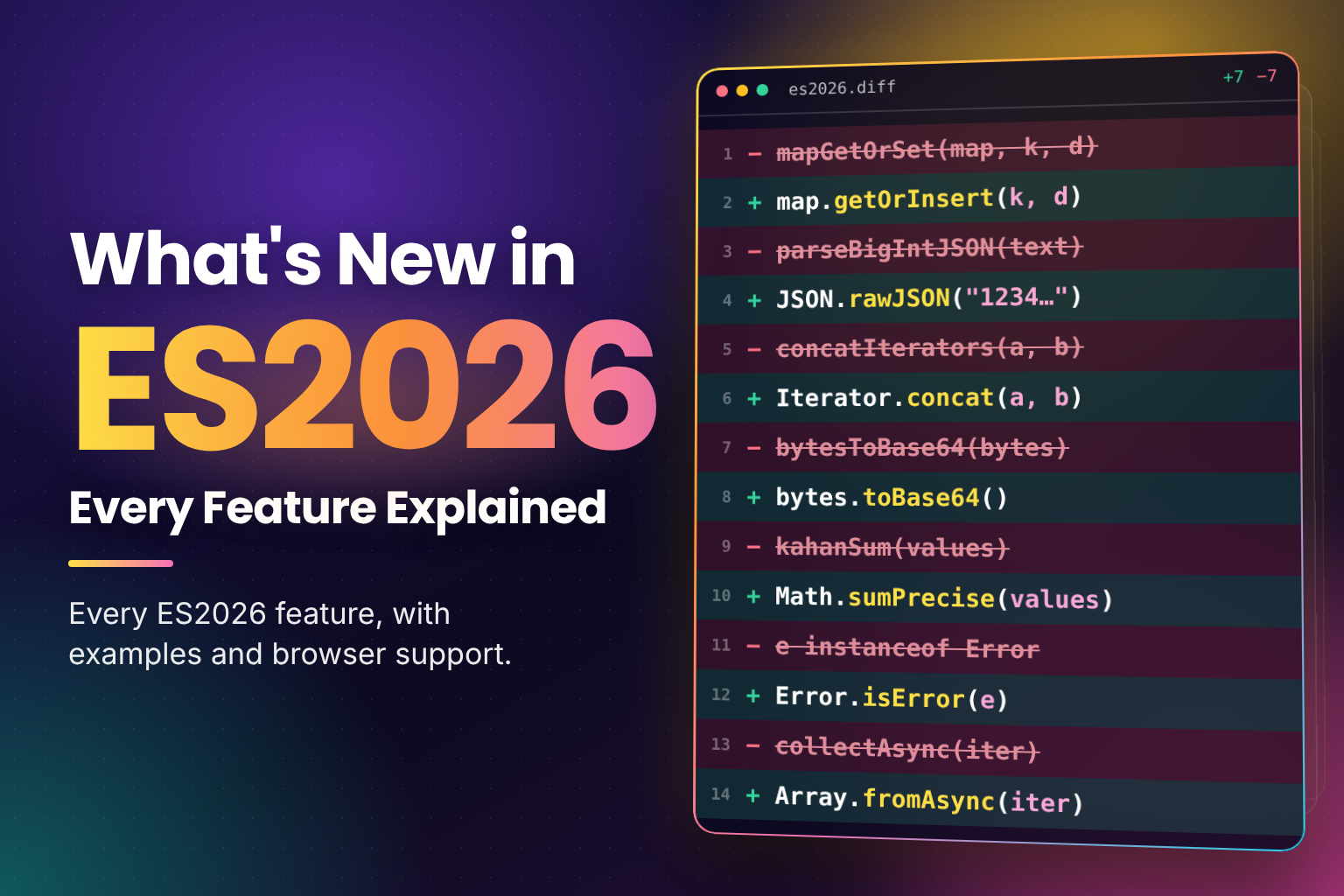
ES2026 is a release of small, sharp tools. There's no new syntax in it at all. Instead, it fills gaps that every
codebase has papered over with a helper: inserting into a Map only when a key is missing, parsing large numbers
from JSON without losing digits, joining iterators together, converting bytes to Base64, adding floats without
drift, telling a real error apart from an object that looks like one, and collecting an async iterable into an array.
In this post, we'll cover:
- Upsert:
Map.prototype.getOrInsert()andgetOrInsertComputed() JSON.parsesource text access,JSON.rawJSON()andJSON.isRawJSON()- Iterator sequencing with
Iterator.concat() Uint8Arrayto and from Base64 and hexMath.sumPrecise()Error.isError()Array.fromAsync()- Why Temporal and
usingare not in ES2026, despite what you may have read - A support table for the whole edition, plus frequently asked questions
How a Feature Gets into ES2026
New JavaScript features are designed by TC39, the Ecma committee that maintains the language, and TC39 moves each proposal through stages 0 to 4. Stage 4 means the design is finished, the tests are written, and the feature has shipped in at least two implementations. Early each year, the spec editors cut the next edition from everything that has reached stage 4 by then; Ecma then approves it in June.
That has two practical consequences worth keeping in mind as you read:
- The edition year is not the year a feature became usable.
Array.fromAsync()reached Safari in 16.4, years before it was formally part of ES2026. - Being in the edition doesn't mean every engine has it.
Error.isError()is in ES2026, but at the time of writing stable Safari only partly supports it. Always check support for the specific feature.
Last year's edition, ES2025, added iterator helpers, Promise.try(), RegExp.escape() and the new Set methods
(covered in Native JavaScript Set Methods: union, intersection and difference).
Upsert: getOrInsert() and getOrInsertComputed()
"Get the value for this key, or put a default in if it isn't there" is one of the most common things done with a
Map, and until now it took a has(), a set() and a get():
// Before ES2026
if (!groups.has(key)) groups.set(key, []);
groups.get(key).push(item);
ES2026 adds two methods to Map and WeakMap that do the lookup and the insert in one call, and always return the
value that ends up in the map:
const counts = new Map();

for (const word of ["a", "b", "a"]) {
  counts.set(word, counts.getOrInsert(word, 0) + 1);
}

console.log(counts); // Map(2) { 'a' => 2, 'b' => 1 }

const groups = new Map();
groups.getOrInsertComputed("fruit", () => []).push("apple");
groups.getOrInsertComputed("fruit", () => []).push("pear");

console.log(groups); // Map(1) { 'fruit' => [ 'apple', 'pear' ] }
getOrInsert(key, value) takes the default directly. getOrInsertComputed(key, callback) only calls the callback
when the key is missing, so it's the one to reach for when the default is expensive to build, or when it's a fresh
object that you don't want to allocate on every call. The callback receives the key as its argument.
Both methods also exist on WeakMap, which makes getOrInsertComputed() a neat way to build a per-object cache that
doesn't keep its keys alive:
const sizes = new WeakMap();

function measure(element) {
  // getBoundingClientRect() runs once per element, not on every call
  return sizes.getOrInsertComputed(element, (el) => el.getBoundingClientRect());
}
Support: Chrome and Edge 145, Firefox 144, Safari 26.2, Node 26.
JSON.parse Source Text Access and JSON.rawJSON()
JSON numbers have no size limit, but JavaScript numbers do. An ID like 12345678901234567890 is silently rounded by
JSON.parse(), and by the time a reviver function (the optional second argument to JSON.parse(), called for every
value it parses) sees it, the original digits are gone.
ES2026 passes the reviver a third argument, a context object. For primitive values (numbers, strings, booleans and
null), context.source holds the exact text that was parsed:
const json = '{"id": 12345678901234567890}';

console.log(JSON.parse(json).id); // 12345678901234567000

const data = JSON.parse(json, (key, value, context) =>
  key === "id" ? BigInt(context.source) : value
);

console.log(data.id); // 12345678901234567890n
For objects and arrays, context is an empty object: there's no single piece of source text to hand over.
The other half of the proposal goes in the opposite direction. JSON.stringify() can't write a BigInt, and it can't
write a number with more precision than a JavaScript number holds. JSON.rawJSON(text) creates a special frozen
object that JSON.stringify() emits verbatim, and JSON.isRawJSON() checks for one:
const payload = { id: JSON.rawJSON("12345678901234567890") };

console.log(JSON.stringify(payload)); // {"id":12345678901234567890}
console.log(JSON.isRawJSON(payload.id)); // true
Together, the two halves let a BigInt make the full round trip. JSON.stringify() throws on a BigInt by default,
but a replacer can turn each one into raw JSON:
const order = { id: 12345678901234567890n, total: 42 };

const text = JSON.stringify(order, (key, value) =>
  typeof value === "bigint" ? JSON.rawJSON(value.toString()) : value
);

console.log(text); // {"id":12345678901234567890,"total":42}
JSON.rawJSON() only accepts text for a primitive JSON value. Passing "{}" or "[1, 2]" throws a SyntaxError,
so it can't be used to splice arbitrary structures into the output.
Support: Chrome and Edge 114, Firefox 135, Safari 18.4, Node 21.
Iterator Sequencing: Iterator.concat()
ES2025's iterator helpers made it easy to map, filter and take over any iterator lazily, but there was no
built-in way to run one iterator after another. Iterator.concat() takes any number of iterables and returns a
single iterator that walks them in order:
const recent = [1, 2];
const archived = new Set([3]);
const pinned = new Map([["k", 4]]).values();

const all = Iterator.concat(recent, archived, pinned);

console.log([...all]); // [ 1, 2, 3, 4 ]
Nothing is copied up front: each source is only opened when the previous one is exhausted, so it works with very
large or infinite sources and combines naturally with helpers like .filter() and .take().
One detail catches people out: every argument must be an iterable object. Strings are iterable, but they're
primitives, so Iterator.concat("ab") throws a TypeError. Wrap them, for example as [..."ab"], if you need to.
Here it joins a finite array with an infinite
generator, and the chain stops as soon as take()
has enough:
function* naturals() {
  let n = 1;
  while (true) yield n++;
}

// The infinite source is never read past the values take() needs
const firstEvens = Iterator.concat([0], naturals()).filter((n) => n % 2 === 0).take(3);

console.log([...firstEvens]); // [ 0, 2, 4 ]
Support: Chrome and Edge 146, Firefox 147, Safari 26.4, Node 26.
Uint8Array to and from Base64 and Hex
For years, the browser's Base64 tools were btoa() and atob(), which work on "binary strings" rather than bytes and
throw on any character above U+00FF. Converting real bytes meant a loop with String.fromCharCode(), or a library.
ES2026 adds direct conversions on Uint8Array:
const bytes = new TextEncoder().encode("Hi!");

console.log(bytes.toBase64()); // "SGkh"
console.log(bytes.toHex()); // "486921"

const decoded = Uint8Array.fromBase64("SGkh");
console.log(new TextDecoder().decode(decoded)); // "Hi!"

console.log(Uint8Array.fromHex("486921")); // Uint8Array(3) [ 72, 105, 33 ]
toBase64() and fromBase64() accept an options object. alphabet: "base64url" switches to the URL-safe alphabet
used by JWTs and many APIs, and omitPadding: true drops the trailing = characters:
const raw = new Uint8Array([251, 255]);

console.log(raw.toBase64()); // "+/8="
console.log(raw.toBase64({ alphabet: "base64url", omitPadding: true })); // "-_8"
Invalid input isn't silently skipped: Uint8Array.fromBase64("not base64!") throws a SyntaxError, so wrap decoding
in try/catch when the string comes from outside your code.
There are also setFromBase64() and setFromHex(), which decode into an existing array instead of allocating a new
one, and return { read, written } so you know how much input was consumed and how many bytes were filled.
Support: Chrome and Edge 140, Firefox 133, Safari 18.2, Node 25.
Math.sumPrecise()
Adding floating-point numbers one at a time accumulates rounding error at every step, and the order of the values changes the answer:
const values = [1e20, 0.1, -1e20];

console.log(values.reduce((a, b) => a + b, 0)); // 0
console.log(Math.sumPrecise(values)); // 0.1
Math.sumPrecise() takes an iterable of numbers and computes the sum as if with unlimited precision, rounding only
once at the end. It's not a decimal type: Math.sumPrecise([0.1, 0.2]) is still 0.30000000000000004, because
0.1 and 0.2 aren't exactly representable to begin with. What it removes is the extra error that a running total
adds. It also throws a TypeError if any value isn't a number, instead of quietly concatenating strings.
Support: Chrome and Edge 147, Firefox 137, Safari 26.2. Node doesn't have it yet.
Where it's missing, compensated summation gets you most of the way. The Neumaier algorithm keeps a second variable
that collects the rounding error lost at each step and adds it back at the end. It isn't exact the way
Math.sumPrecise() is, but it fixes cases like the one above:
function sumCompensated(values) {
  let sum = 0;
  let compensation = 0;

  for (const value of values) {
    const next = sum + value;
    compensation += Math.abs(sum) >= Math.abs(value)
      ? (sum - next) + value
      : (value - next) + sum;
    sum = next;
  }

  return sum + compensation;
}

const sumPrecise = Math.sumPrecise ?? sumCompensated;
console.log(sumPrecise([1e20, 0.1, -1e20])); // 0.1
Error.isError()
value instanceof Error checks the prototype chain, which breaks in two directions. An error created in another
realm, such as an iframe or a Node vm context, has a different Error constructor, so instanceof returns false
for a real error. And any object can be given Error.prototype as its prototype, so instanceof returns true for
something that isn't one.
Error.isError() checks whether the value was actually created as an error, the same way Array.isArray() does for
arrays. If the prototype chain is new to you, the
instanceof section of Mastering JavaScript Operators explains
the check Error.isError() replaces:
console.log(Error.isError(new TypeError("Bad input"))); // true

const lookalike = { name: "Error", message: "Not really" };
console.log(Error.isError(lookalike)); // false
The cross-realm case is easy to reproduce with an iframe, which has its own set of built-ins:
const iframe = document.createElement("iframe");
document.body.append(iframe);

const ForeignError = iframe.contentWindow.Error;
const error = new ForeignError("Created in the iframe");

console.log(error instanceof Error); // false
console.log(Error.isError(error)); // true
It's most useful in logging, error-reporting and serialisation code that receives values from places you don't control.
Support: Chrome and Edge 134, Firefox 138, Node 24.3. Safari 18.4 has a partial implementation that returns false
for DOMException instances, with full support in Technology Preview. Feature-detect with
typeof Error.isError === "function" and fall back to instanceof where it's missing.
Array.fromAsync()
Array.from() collects a synchronous iterable. Array.fromAsync() is its async counterpart: it accepts an
async iterable (or a sync iterable of
promises), awaits each value in turn, and resolves to an array. An optional mapping
function runs on each value, just as with Array.from():
async function* pages() {
  yield 1;
  yield 2;
}

console.log(await Array.fromAsync(pages(), (n) => n * 10)); // [ 10, 20 ]
console.log(await Array.fromAsync([Promise.resolve(1), 2])); // [ 1, 2 ]
The important difference from Promise.all() is that values
are awaited one after another, not concurrently. That's what you want for a paginated API or a stream, and not
what you want for a list of independent requests;
Sequential vs. Parallel Execution shows
the difference in timing.
Support: Chrome and Edge 121, Firefox 115, Safari 16.4, Node 22. This one is Baseline and widely available.
The full guide, with a playground, is
Collecting Async Iterables into Arrays with Array.fromAsync().
Not in ES2026: Temporal and using
Many articles list the Temporal API and explicit resource management (using, await using,
DisposableStack and friends) as ES2026 features. They aren't.
Both were finalised after the ES2026 edition had already been settled. Temporal reached stage 4 at TC39's March 2026 meeting, while upsert, the last feature into ES2026, got there in January. Explicit resource management was approved for stage 4 conditionally in 2025, but its conditions were still being worked through in 2026. TC39's own list of finished proposals records both Temporal and explicit resource management with an expected publication year of 2027, so they will be part of ES2027.
That's a matter of paperwork, not readiness. Both are already shipping:
- Temporal: Chrome and Edge 144, Firefox 139, Node 26. Safari has it in Technology Preview only.
usingandawait using: Chrome and Edge 134, Firefox 141, Node 24, and TypeScript since 5.2. Safari has it in Technology Preview only.
ES2026 Support at a Glance
| Feature | Chrome / Edge | Firefox | Safari | Node |
|---|---|---|---|---|
Map / WeakMap getOrInsert(), getOrInsertComputed() | 145 | 144 | 26.2 | 26 |
JSON.parse source text, JSON.rawJSON() | 114 | 135 | 18.4 | 21 |
Iterator.concat() | 146 | 147 | 26.4 | 26 |
Uint8Array Base64 and hex | 140 | 133 | 18.2 | 25 |
Math.sumPrecise() | 147 | 137 | 26.2 | Not yet |
Error.isError() | 134 | 138 | 18.4 (partial) | 24.3 |
Array.fromAsync() | 121 | 115 | 16.4 | 22 |
Versions are the first stable release with support, from MDN's browser compatibility data as of November 2026. For polyfills, Baseline and browserslist setup, see Backwards-Compatible JavaScript: Polyfills and Baseline.
Feature Detection
None of the ES2026 features are syntax, so every one of them can be detected at runtime with a
typeof check, and a polyfill loaded only where it's needed:
const support = {
  upsert: typeof Map.prototype.getOrInsert === "function",
  rawJSON: typeof JSON.rawJSON === "function",
  concat: typeof Iterator !== "undefined" && typeof Iterator.concat === "function",
  base64: typeof Uint8Array.prototype.toBase64 === "function",
  sumPrecise: typeof Math.sumPrecise === "function",
  isError: typeof Error.isError === "function",
  fromAsync: typeof Array.fromAsync === "function"
};
Frequently Asked Questions
Wrapping Up
ES2026 has no headline syntax, and that's fine. Each feature retires a helper:
getOrInsert()andgetOrInsertComputed()replace thehas/set/getdancecontext.sourceandJSON.rawJSON()let large numbers survive a round trip through JSONIterator.concat()joins iterators without building an array firsttoBase64(),fromBase64(),toHex()andfromHex()replace hand-rolled byte conversionMath.sumPrecise()removes the drift from adding floats in a loopError.isError()identifies real errors across realmsArray.fromAsync()collects async iterables in one line
Temporal and using are the features most people are waiting for, and they're closer than the edition year
suggests: both are already confirmed for ES2027, and
What's New in ES2027: Temporal, using and More covers them and the rest of that list.
No new syntax this year, just seven helpers I'm glad to delete from my own utility files. The time went into checking rather than writing: running the examples, matching every version number against MDN's compatibility data, and confirming each feature against the published specification, which is also how I untangled the Temporal and using mix-up that keeps doing the rounds. I hope the support table saves you a few searches. 🧰