
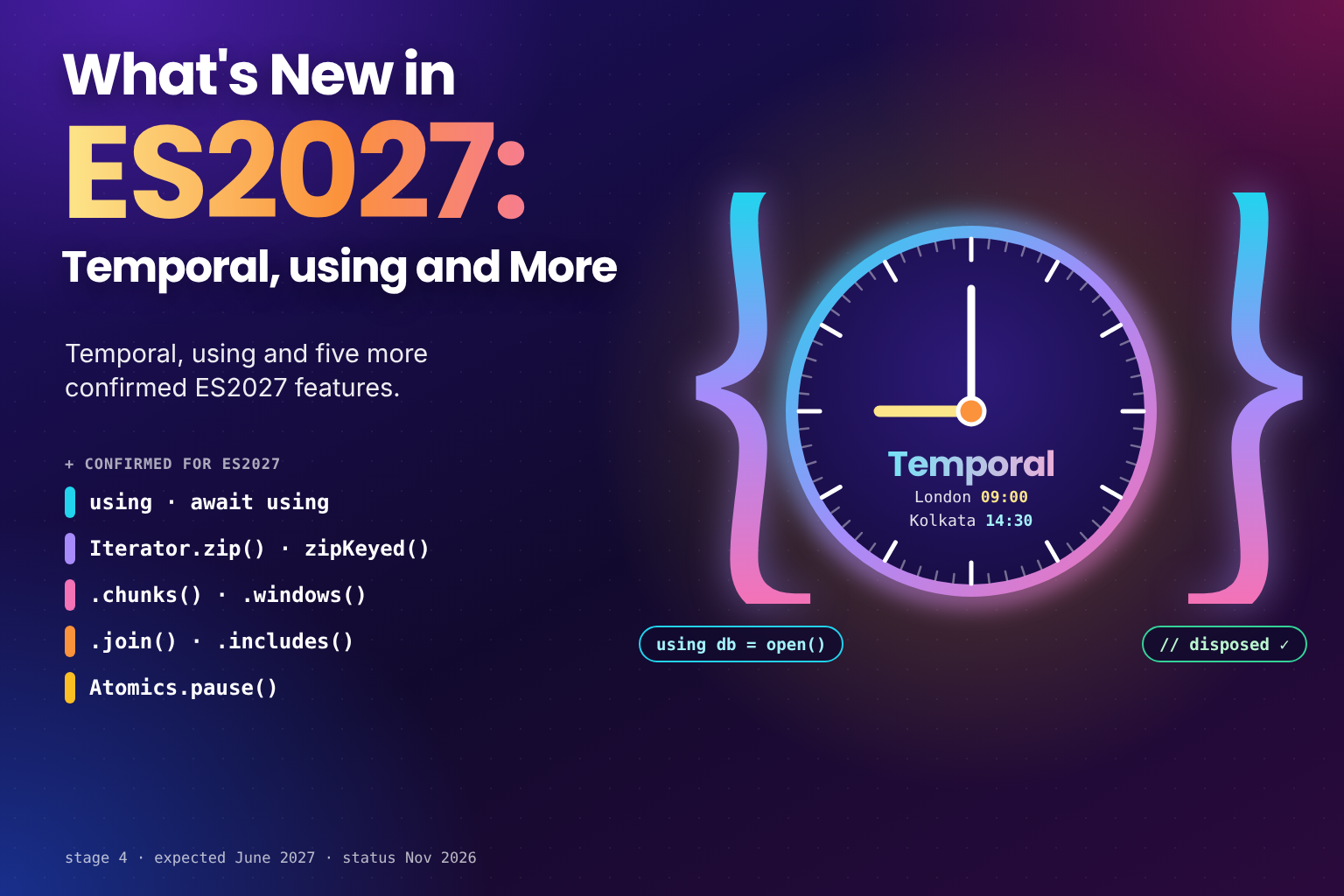
What's New in ES2027: Temporal, using and More
 (opens full-size image in a new tab)
ECMAScript 2027 doesn't exist yet. The edition is expected to be finalised and published around June 2027, and until the specification is cut, more proposals can still join it. What does exist is a list of proposals that have already reached stage 4 and are recorded by TC39 for publication in 2027, and it's an unusually strong list.
Two of the features here are the ones JavaScript developers have waited longest for. Temporal replaces Date
with a modern date and time API, and explicit resource management adds using and await using for reliable
cleanup. Alongside them come four iterator additions and a small primitive for multithreaded code.
In this post, we'll cover:
- How a feature becomes part of an ECMAScript edition
- Temporal: dates, times and time zones without the
Datepitfalls - Explicit resource management:
using,await using,DisposableStackandSuppressedError - Joint iteration:
Iterator.zip()andIterator.zipKeyed() - Iterator chunking:
.chunks()and.windows() - Iterator
.join()and.includes() Atomics.pause()- A support table, feature detection, what could still join ES2027, and frequently asked questions
The sections run roughly from everyday features to specialist ones, so if you're newer to JavaScript, the first two features are the ones to start with.
How a Feature Becomes Part of an Edition
New JavaScript features are designed by TC39, the Ecma committee that maintains the language. Each proposal moves through numbered stages, from an idea (stage 0) to a finished feature (stage 4). By stage 3, the design is settled and engines start shipping it; stage 4 means it has passed the shared test suite, shipped in at least two engines, and been merged into the specification.
Once a year, early in the year, the specification is cut and becomes that year's edition. Everything that reached stage 4 before the cut is in; anything that gets there afterwards waits for the following year. That's why browser support and edition year often don't line up: a feature can ship in browsers long before its edition is published.
Why Temporal and using Are ES2027, Not ES2026
You'll find plenty of articles calling Temporal and using "ES2026 features". They aren't. Temporal reached stage 4 at
TC39's March 2026 meeting, after ES2026 had already been settled. Explicit resource management was approved for stage
4 conditionally in 2025, but its conditions were still being worked through in 2026. TC39's finished proposals list
records both with an expected publication year of 2027. (For what did make ES2026, see
What's New in ES2026: Every Feature Explained.)
None of that stopped engines from shipping them. As the support table later in this post shows, Chrome, Firefox and
Node already have both Temporal and using, which is a big part of how they reached stage 4 in the first place.
Temporal
Date has been JavaScript's only built-in date type since 1995, and its problems are well known: months count from
zero, objects are mutable, there's no way to represent "a date with no time" or "a time in a specific time zone", and
parsing is inconsistent. Temporal is a new global namespace with a separate type for each of those ideas.
// A calendar date with no time and no time zone
const due = Temporal.PlainDate.from("2026-01-31");
console.log(due.add({ months: 1 }).toString()); // "2026-02-28"

// An exact moment, in a named time zone
const meeting = Temporal.ZonedDateTime.from("2026-03-28T09:00[Europe/London]");

// Clocks go forward overnight, but the meeting stays at 09:00 local time
console.log(meeting.add({ days: 1 }).toString());
// "2026-03-29T09:00:00+01:00[Europe/London]"

console.log(meeting.withTimeZone("Asia/Kolkata").toString());
// "2026-03-28T14:30:00+05:30[Asia/Kolkata]"

// Differences between dates
console.log(Temporal.PlainDate.from("2026-11-08").until("2026-12-25").days); // 47
Every Temporal object is immutable: methods like add() and with() return a new object instead of changing the
original. Months are numbered from 1, and adding a month to 31 January clamps to the end of February instead of
spilling into March. Because ZonedDateTime knows its time zone, arithmetic across a daylight saving change does what
a person would expect.
The main types are:
Temporal.Instant: an exact moment in time, with no time zone attachedTemporal.ZonedDateTime: an exact moment in a specific time zoneTemporal.PlainDate,PlainTimeandPlainDateTime: wall-clock values with no time zone, such as a birthday or an opening timeTemporal.Duration: a length of time, such as "2 hours 30 minutes"Temporal.Now: functions for reading the current date and time
Most existing code still passes Date objects around, so you'll often convert between the two. Formatting uses the
same Intl machinery as Date:
// The current date and time in the user's time zone
const now = Temporal.Now.zonedDateTimeISO();

// From Date to Temporal, and back again
const instant = new Date().toTemporalInstant();
const legacy = new Date(instant.epochMilliseconds);

// Locale-aware formatting
const christmas = Temporal.PlainDate.from("2026-12-25");
console.log(christmas.toLocaleString("en-GB", { dateStyle: "long" })); // "25 December 2026"
Support: Chrome and Edge 144, Firefox 139, Node 26. Safari has it in Technology Preview only. For production code
that has to run in Safari today, load a polyfill such as temporal-polyfill or @js-temporal/polyfill only when
globalThis.Temporal is missing.
Explicit Resource Management: using and await using
File handles, database connections, locks and subscriptions all need to be released, and try/finally is easy to
forget and awkward to nest. Explicit resource management adds a declaration that ties cleanup to scope. Any object
with a [Symbol.dispose]() method can be declared with using, and that method runs automatically when the block
exits, whether it finishes normally, returns early or throws:
class Resource {
  constructor(name) {
    this.name = name;
    console.log("open " + name);
  }

  [Symbol.dispose]() {
    console.log("close " + this.name);
  }
}

{
  using a = new Resource("a");
  using b = new Resource("b");
  console.log("work");
}

// open a
// open b
// work
// close b
// close a
Resources are disposed in reverse order, so something opened later, which may depend on something opened earlier, is
always closed first. await using does the same for asynchronous cleanup through [Symbol.asyncDispose](). If
async and await are still new to you,
Mastering Asynchronous JavaScript covers them first:
function openConnection(name) {
  console.log("open " + name);
  return {
    name,
    async [Symbol.asyncDispose]() {
      console.log("close " + name);
    }
  };
}

async function run() {
  await using db = openConnection("db");
  console.log("query via " + db.name);
}

await run();
// open db
// query via db
// close db
A few rules are worth knowing before you use it:
- A
usingbinding is constant, likeconst, and can't be destructured. - The value can be
nullorundefined, in which case there's nothing to dispose and it's skipped. Any other value without a[Symbol.dispose]()method throws aTypeErrorat the declaration. usingworks in blocks, functions andfor...ofloops, and at the top level of a module, but not at the top level of a classic script.
DisposableStack
Not every resource has a [Symbol.dispose]() method, and sometimes you don't know in advance how many you'll open.
DisposableStack collects cleanup steps as you go and runs them in reverse order. Its defer() method registers any
cleanup function, which makes it a good fit for timers, event listeners, observers and other
APIs that predate using:
function watch(element, onClick) {
  using stack = new DisposableStack();

  const controller = new AbortController();
  element.addEventListener("click", onClick, { signal: controller.signal });
  stack.defer(() => controller.abort());

  const timer = setInterval(() => console.log("polling"), 5000);
  stack.defer(() => clearInterval(timer));

  // Setup succeeded, so hand the cleanup to the caller instead of running it now
  return stack.move();
}

const watcher = watch(document.querySelector("button"), () => console.log("clicked"));

// Later, when the watcher is no longer needed
watcher.dispose();
If anything in watch() throws halfway through, using disposes the stack and releases everything registered so
far. If it succeeds, move() transfers the cleanup steps to a new stack for the caller and leaves the original empty,
so nothing is released early. AsyncDisposableStack does the same for asynchronous cleanup.
SuppressedError
If the block throws and a disposer throws too, you get a SuppressedError whose error is the cleanup failure and
whose suppressed is the original error, so neither is lost:
try {
  using resource = {
    [Symbol.dispose]() {
      throw new Error("cleanup failed");
    }
  };
  throw new Error("work failed");
} catch (error) {
  console.log(error.name); // "SuppressedError"
  console.log(error.error.message); // "cleanup failed"
  console.log(error.suppressed.message); // "work failed"
}
Support: Chrome and Edge 134, Firefox 141, Node 24. Safari has it in Technology Preview only. TypeScript has
compiled using and await using since version 5.2, which is the practical route for code that must run in Safari
today. TypeScript only rewrites the syntax, though: you still need runtime polyfills for Symbol.dispose,
Symbol.asyncDispose, DisposableStack and SuppressedError, such as the ones in core-js.
A Quick Refresher on Iterators
The next three sections add methods to iterators, so it's worth a moment on what an iterator is. Arrays, strings,
Map, Set and generators are all iterables: things you can loop over with for...of. Asking an iterable for its
values gives you an iterator, an object that hands them out one at a time.
ES2025 gave iterators their own helper methods, such as map(), filter() and take(). Unlike their array
counterparts, they're lazy: they process one value at a time and don't build intermediate arrays. The methods below
build on those helpers. Because they live on iterators, not arrays, you call them on array.values(), set.values()
or a generator, not directly on an array.
Async iterables, such as streams and async generators, follow the same idea with for await...of, and ES2026's
Array.fromAsync() collects them into an array; see
Collecting Async Iterables into Arrays with Array.fromAsync().
Joint Iteration: Iterator.zip() and Iterator.zipKeyed()
Walking two sequences in step usually means indexing into arrays. Iterator.zip() takes an iterable of iterables and
yields an array per step, one value from each:
const names = ["Ada", "Grace", "Linus"];
const scores = [3, 5, 4];

for (const [name, score] of Iterator.zip([names, scores])) {
  console.log(name, score);
}

// Ada 3
// Grace 5
// Linus 4
Iterator.zipKeyed() takes an object of iterables instead, and yields objects with the same keys, which reads better
once there are more than two inputs:
// Using names and scores from the previous example
const rows = Iterator.zipKeyed({ name: names, score: scores });

for (const { name, score } of rows) {
  console.log(name + ": " + score);
}

// Ada: 3
// Grace: 5
// Linus: 4
Both accept an options object as their second argument. mode decides what happens when the inputs have different
lengths:
"shortest"(the default) stops as soon as any input is done."longest"keeps going until every input is done, filling the gaps withundefined, or with values you supply through thepaddingoption."strict"expects every input to have the same length, and throws if one runs out before the others.
const ids = [1, 2, 3];
const labels = ["one"];

console.log([...Iterator.zip([ids, labels], { mode: "longest", padding: [0, "?"] })]);
// [ [ 1, "one" ], [ 2, "?" ], [ 3, "?" ] ]
For zip(), padding is an iterable with one value per input; for zipKeyed(), it's an object with the same keys.
Support: Chrome and Edge 153, Firefox 148. Safari has it in Technology Preview only, and Node doesn't have it yet.
Iterator Chunking: .chunks() and .windows()
Two new iterator methods split a sequence into groups. chunks(n) yields consecutive, non-overlapping arrays of n
values, with a shorter final chunk if the values don't divide evenly. windows(n) yields overlapping "sliding
windows", moving forward one value at a time:
const numbers = [1, 2, 3, 4, 5];

console.log([...numbers.values().chunks(2)]);
// [ [ 1, 2 ], [ 3, 4 ], [ 5 ] ]

console.log([...numbers.values().windows(3)]);
// [ [ 1, 2, 3 ], [ 2, 3, 4 ], [ 3, 4, 5 ] ]
Chunks are the natural fit for batching work, such as sending records to an API 100 at a time. Windows suit anything that compares neighbours: moving averages, detecting changes between consecutive readings, or pairing each item with the next one.
By default, windows() only yields full windows, so a sequence shorter than the window size yields nothing at all.
Pass "allow-partial" as the second argument to get a single, shorter window instead:
console.log([...[1, 2].values().windows(3)]); // []
console.log([...[1, 2].values().windows(3, "allow-partial")]); // [ [ 1, 2 ] ]
Support: Firefox 154. Chrome doesn't have it yet, and Safari has it in Technology Preview only. This is the least-supported feature on the list, so plan on a polyfill if you want it now.
Iterator .join() and .includes()
These are two array methods that iterators were missing. join(separator) concatenates the values into a string,
without first collecting them into an array. Like Array.prototype.join(), it uses a comma if you don't pass a
separator:
const tags = new Set(["css", "javascript", "html"]);

console.log(tags.values().join(", ")); // "css, javascript, html"
includes(value) checks whether an iterator produces a value, using the same SameValueZero comparison as
Array.prototype.includes(), so it finds NaN:
console.log(new Set([1, NaN]).values().includes(NaN)); // trueLike every iterator method, includes() consumes the iterator as it goes: it stops at the first match, and the values
it read along the way are gone. On an infinite iterator with no match, it never returns.
Support: join() is in Chrome and Edge 153 and Firefox 154. includes() is in Chrome and Edge 154 and Firefox
154. Safari has both in Technology Preview only.
Atomics.pause()
The smallest addition is aimed at code that shares memory between workers through SharedArrayBuffer. A spin-wait
loop that repeatedly checks a value burns CPU and can slow down the very thread it's waiting for. Atomics.pause()
gives the CPU a hint that the code is spinning, much like the dedicated pause or yield instructions that CPUs provide
for this.
It doesn't block, sleep or yield to the event loop, so, unlike Atomics.wait(), it's allowed on the main thread. The
typical pattern is to spin briefly with Atomics.pause() and fall back to Atomics.wait(), which does block, if the
wait goes on:
// flag is an Int32Array over a SharedArrayBuffer, shared with another worker
function waitForFlag(flag) {
  for (let i = 0; i < 100; i++) {
    if (Atomics.load(flag, 0) !== 0) return;
    Atomics.pause();
  }

  // Still not set: sleep until another thread calls Atomics.notify() (workers only)
  Atomics.wait(flag, 0, 0);
}
Most application code will never call it directly, but libraries that implement locks and queues will. For a complete, tested lock that combines it with Atomics.wait(), see the snippet JavaScript Spin-Wait Lock with Atomics.pause().
Support: Chrome and Edge 133, Firefox 137, Safari 18.4, Node 24. It's the one ES2027 feature already in every current engine.
ES2027 Support at a Glance
| Feature | Chrome / Edge | Firefox | Safari | Node |
|---|---|---|---|---|
| Temporal | 144 | 139 | Technology Preview | 26 |
using, await using, DisposableStack, SuppressedError | 134 | 141 | Technology Preview | 24 |
Iterator.zip(), Iterator.zipKeyed() | 153 | 148 | Technology Preview | Not yet |
.chunks(), .windows() | Not yet | 154 | Technology Preview | Not yet |
.join() | 153 | 154 | Technology Preview | Not yet |
.includes() | 154 | 154 | Technology Preview | Not yet |
Atomics.pause() | 133 | 137 | 18.4 | 24 |
Versions are the first stable release with support, as of November 2026. The obvious pattern is Safari: most of ES2027 is waiting in Safari Technology Preview. Until it reaches a stable release, feature-detect, or use the polyfills and TypeScript compilation mentioned above. Backwards-Compatible JavaScript: Polyfills and Baseline explains how to choose between them.
Feature Detection
The new APIs can all be detected at runtime with a typeof check, so you can load a polyfill only where it's needed:
const hasTemporal = typeof globalThis.Temporal === "object";
const hasZip = typeof Iterator !== "undefined" && typeof Iterator.zip === "function";
const hasChunks = typeof Iterator !== "undefined" && typeof Iterator.prototype.chunks === "function";
const hasDisposableStack = typeof globalThis.DisposableStack === "function";
using and await using are different, because they're syntax. An engine that doesn't understand them fails to parse
the whole file, so no check inside that file can help. For those, compile with TypeScript or Babel, or only use them
in environments you control.
What Could Still Join ES2027
The list above is what's confirmed, not what's final. Any proposal that reaches stage 4 before the ES2027
specification is cut can still be added. Proposals usually spend some time at stage 3 while engines implement and
ship them, so the realistic candidates are the ones already at stage 3 with implementations underway. In November
2026, stage 3 includes deferred module evaluation (import defer), source phase imports, import text and the error
stack accessor, among others.
Rather than guess which will make it, check the sources TC39 maintains itself:
- The finished proposals list in the
tc39/proposalsrepository on GitHub records every stage 4 proposal with its expected publication year. - The main active proposals list shows what's at stage 3 and stage 2.7.
- The TC39 meeting notes in
tc39/notesrecord each decision as it happens.
Frequently Asked Questions
Wrapping Up
ES2027 is still being written, but its confirmed features already make it a significant edition:
- Temporal finally gives JavaScript separate, immutable types for dates, times, instants and time zones
usingandawait usingmake cleanup automatic and correctly orderedIterator.zip()andIterator.zipKeyed()walk several sequences in step.chunks()and.windows()split sequences into batches and sliding windows.join()and.includes()bring two familiar array methods to iteratorsAtomics.pause()makes spin-waits friendlier to the CPU
The biggest thing holding most of them back is a stable Safari release, which makes ES2027 one to keep an eye on as the year turns.
An unfinished edition is a moving target, so this one took more reading than writing: TC39's finished proposals list and meeting notes to pin down what's really in ES2027, and the compatibility data behind every number in the support table. Temporal and using are the two I've waited on longest, and I hope the examples show why. I also cross-checked the edition boundaries against the ES2026 post, which is how Map upsert ended up there instead. I'll update this post once ES2027 is published. ⏳