
Bytes to Hex and Back with Uint8Array.fromHex() and toHex()
 (opens full-size image in a new tab)
Introduction
Hexadecimal (base 16) writes each byte, a number from 0 to 255, as two digits from 0-9 and a-f. It's how hashes,
colours and binary dumps are usually shown. Turning bytes into a hex string has always been a small chore in JavaScript: map every byte through
toString(16), pad it to two characters, and join. Going the other way meant slicing the string into pairs and calling
parseInt() on each.
ES2026 adds three built-in methods that do it for you: toHex() on any Uint8Array, the static
Uint8Array.fromHex(), and setFromHex() for decoding into a buffer you already have. They arrived alongside
the matching Base64 methods (toBase64(), fromBase64() and setFromBase64()).
The Code
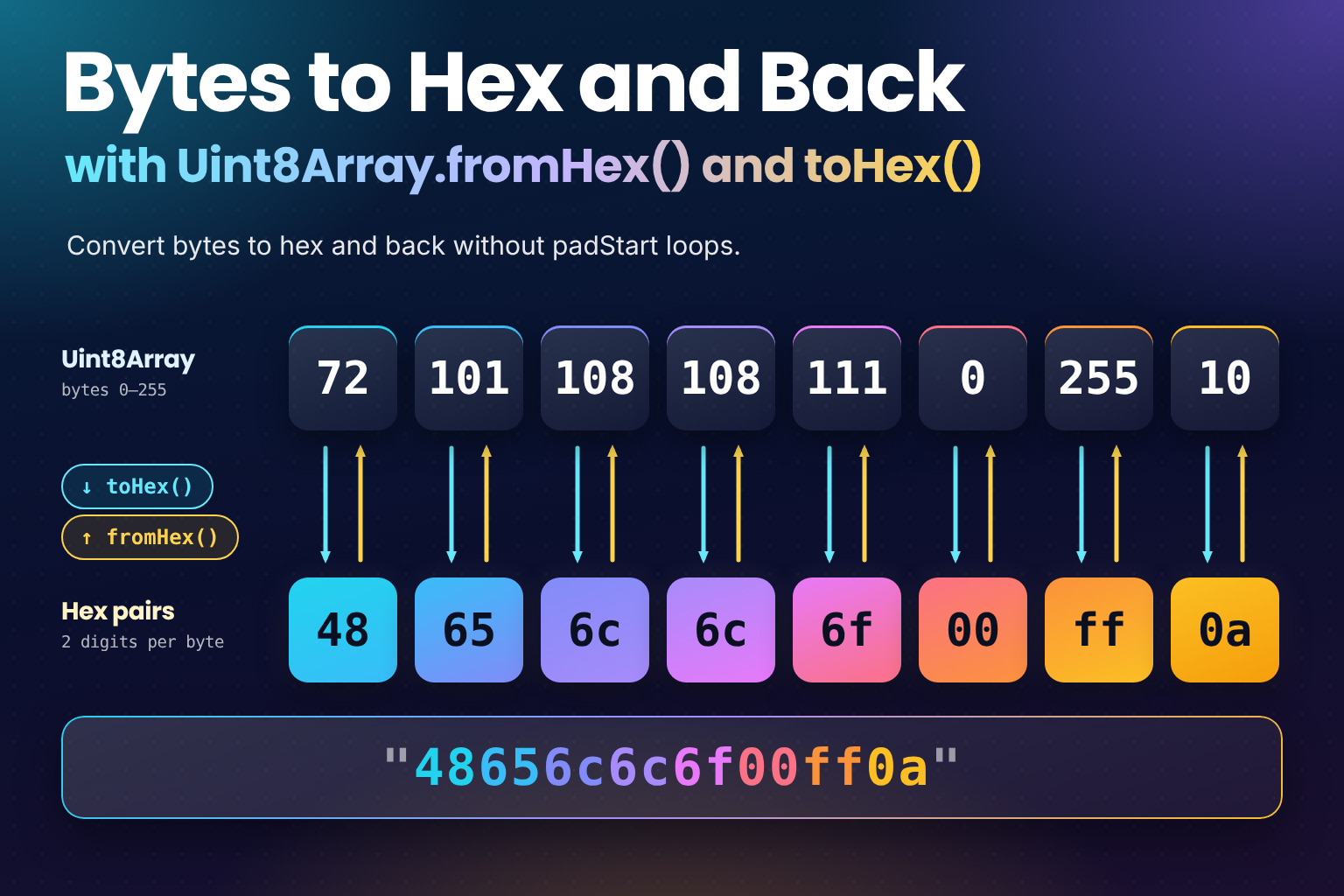
const bytes = new Uint8Array([72, 101, 108, 108, 111, 0, 255, 10]);

// Bytes to hex: always lowercase, two characters per byte
bytes.toHex(); // "48656c6c6f00ff0a"

// Hex to bytes: a new Uint8Array
Uint8Array.fromHex("48656c6c6f00ff0a");
// Uint8Array(8) [72, 101, 108, 108, 111, 0, 255, 10]

// Hex into an existing buffer
const buffer = new Uint8Array(8);
buffer.setFromHex("cafe"); // { read: 4, written: 2 }
buffer; // Uint8Array(8) [202, 254, 0, 0, 0, 0, 0, 0]
How It Works
toHex()writes each byte as exactly two lowercase hex digits, so0becomes"00"and255becomes"ff". There are no separators and no0xprefix. Call.toUpperCase()on the result if you need capitals.Uint8Array.fromHex(string)accepts upper, lower or mixed case ("DEADbeef"works) and returns a newUint8Arraywith one byte per pair of digits. An empty string gives an empty array.fromHex()is strict. It throws aSyntaxErrorif the string has an odd number of characters or contains anything other than0-9,a-fandA-F, including spaces and a0xprefix. Passing something that isn't a string throws aTypeError.setFromHex(string)decodes into the array you call it on, starting at index 0, and returns{ read, written }: how many characters it consumed and how many bytes it wrote. If the array fills up first, it stops there without throwing. To write at an offset, call it on asubarray().
Uint8Array.fromHex("DEADbeef"); // Uint8Array(4) [222, 173, 190, 239]

Uint8Array.fromHex("abc");   // SyntaxError (odd length)
Uint8Array.fromHex("zz");    // SyntaxError (not hex)
Uint8Array.fromHex("0x41");  // SyntaxError (no prefixes)
Uint8Array.fromHex("41 42"); // SyntaxError (no spaces)

// Only room for two bytes, so the third pair is left unread
const small = new Uint8Array(2);
small.setFromHex("010203"); // { read: 4, written: 2 }

// Write at an offset through a subarray view
const frame = new Uint8Array(6);
frame.subarray(2).setFromHex("aabb"); // { read: 4, written: 2 }
frame; // Uint8Array(6) [0, 0, 170, 187, 0, 0]
Example Usage
Hashing a string with the Web Crypto API
crypto.subtle.digest() returns an ArrayBuffer. Wrap it in a Uint8Array and you're one call away from the hex
digest you'd compare against a checksum file:
async function sha256Hex(text) {
  const data = new TextEncoder().encode(text);
  const digest = await crypto.subtle.digest("SHA-256", data);
  return new Uint8Array(digest).toHex();
}

await sha256Hex("hello");
// "2cf24dba5fb0a30e26e83b2ac5b9e29e1b161e5c1fa7425e73043362938b9824"
Hex colours to RGB and back
A six-digit hex colour is just three bytes:
const [r, g, b] = Uint8Array.fromHex("6366f1");
console.log(r, g, b); // 99 102 241

const hex = "#" + new Uint8Array([99, 102, 241]).toHex();
console.log(hex); // "#6366f1"
Strip the # before calling fromHex(), and expand three-digit shorthand (#fff) yourself first: "fff" has an odd
length, so it throws.
Debugging binary data
When you're inspecting a file header or a network message, a hex string is easier to read and compare than a printed
array of numbers. Any typed array's bytes can be viewed through a Uint8Array:
const encoded = new TextEncoder().encode("Hi!");
console.log(encoded.toHex()); // "486921"

// A Uint16Array has no toHex(), so view its buffer as bytes
const words = new Uint16Array([0x1234]);
console.log(new Uint8Array(words.buffer).toHex()); // "3412" on little-endian machines
Fallback for Older Runtimes
The methods are available in Chrome and Edge 140, Firefox 133, Safari 18.2 and Node.js 25. For older environments, the classic approach still works (for detecting features and loading polyfills safely, see Backwards-Compatible JavaScript: Polyfills and Baseline):
function toHex(bytes) {
  return Array.from(bytes, (byte) => byte.toString(16).padStart(2, "0")).join("");
}

function fromHex(hex) {
  if (hex.length % 2 !== 0 || /[^0-9a-f]/i.test(hex)) {
    throw new SyntaxError("Invalid hex string");
  }

  const bytes = new Uint8Array(hex.length / 2);
  for (let i = 0; i < bytes.length; i++) {
    bytes[i] = parseInt(hex.slice(i * 2, i * 2 + 2), 16);
  }
  return bytes;
}

toHex(new Uint8Array([72, 101, 108, 108, 111])); // "48656c6c6f"
fromHex("48656C6C6F"); // Uint8Array(5) [72, 101, 108, 108, 111]
padStart(2, "0") is the important part: without it, bytes below 16 come out as a single digit and the string can't
be decoded again. To use the native methods where they exist, check for them first:
const bytesToHex = typeof Uint8Array.prototype.toHex === "function"
  ? (bytes) => bytes.toHex()
  : toHex;
Use Cases
- Checksums and hashes from
crypto.subtle.digest(), for cache keys, integrity checks or comparing downloads. - Colour conversion between
#rrggbbstrings and RGB byte values. - Logging and debugging binary formats, file signatures and protocol messages.
- Random IDs and tokens:
crypto.getRandomValues(new Uint8Array(16)).toHex()gives a 32-character hex string. - Reading hex fixtures in tests, such as known byte sequences for a parser.
Notes & Tips
- Only on
Uint8Array: other typed arrays don't have these methods. View theirbufferas aUint8Array, and remember that multi-byte values come out in the machine's byte order (little-endian on almost every device). - Node.js
Bufferinherits them:Bufferis aUint8Arraysubclass, soBuffer.from([1, 2]).toHex()returns"0102".buf.toString("hex")still works too. - Validate untrusted input: wrap
fromHex()intry/catchwhen the string comes from a user or a file, and catchSyntaxErrorspecifically. setFromHex()writes before it throws: if it hits an invalid pair partway through, the bytes decoded before it have already been written to the array. Decode into a scratch buffer if you need all or nothing.- Need Base64? The same proposal added
toBase64(),Uint8Array.fromBase64()andsetFromBase64(), with options for the URL-safe alphabet and padding. See What's New in ES2026: Every Feature Explained for the full list.
Frequently Asked Questions
Key Takeaway
bytes.toHex() gives you a lowercase hex string, Uint8Array.fromHex() turns hex (in either case) back into bytes
and throws a SyntaxError on anything malformed, and setFromHex() decodes into an existing buffer and tells you how
much it read and wrote. Keep the padStart(2, "0") fallback around for runtimes that predate ES2026.
Changelog
- — Initial publication.
Share this snippet
Spotted a mistake or something outdated in this snippet? Suggest a correction.